
Download Arcade Game Studio – arcade game creation, retro game development, create arcade games, vintage game design, game maker tool, retro game engine, build classic arcade games, develop arcade games
Overview
Arcade Game Studio is a specialized mobile application designed for individuals passionate about crafting their own arcade-style games with a distinct vintage aesthetic. Tailored for hobbyists and retro gaming enthusiasts, the app offers a streamlined platform to design, build, and experience classic arcade titles reminiscent of the 1980s and early 1990s. Its primary purpose is to empower users with the tools needed to create games that mirror the mechanics and visual style of legacy arcade experiences, without requiring advanced programming knowledge.
The app targets creators who value nostalgia, simplicity, and authenticity in game design. Whether users are exploring game development for the first time or seeking a lightweight tool to experiment with retro concepts, Arcade Game Studio provides a focused environment. The developer did not provide additional background information, but the app’s consistent design language and niche focus suggest a dedicated creator or small team committed to preserving retro game culture.
Real-world use cases include educational projects, personal creative expression, and community-based game jams centered around vintage themes. In the broader app ecosystem, Arcade Game Studio occupies a unique space—offering a minimalist alternative to full-featured game engines, ideal for users who prioritize authenticity over complexity. It serves as a bridge between modern mobile platforms and the timeless appeal of classic arcade gameplay.
Key Features & Functionality
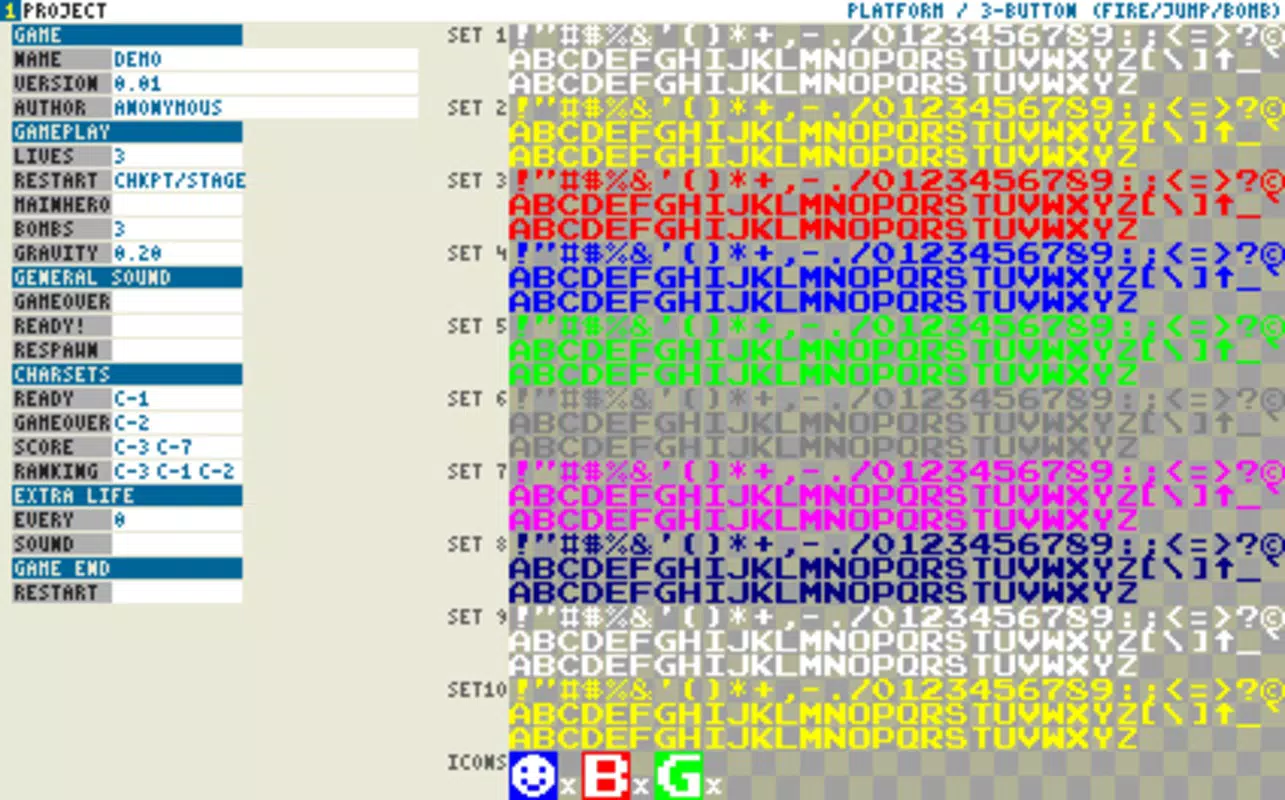
- Retro Feel Interface: The app’s visual design mimics the look and feel of classic arcade machines, featuring pixelated graphics, limited color palettes, and analog-style controls. This aesthetic not only enhances immersion but also sets a creative tone from the start, helping users align their design choices with retro conventions.
- Lightweight Download Size: At just 1.8 MB, Arcade Game Studio is exceptionally compact. This small footprint ensures accessibility on older or low-storage Android devices, making it a practical choice for users with limited hardware capabilities.
- Genre Selection at Launch: Upon opening the app, users choose a genre for their game—such as platformer, shooter, or maze—guiding the development path. This early decision influences core mechanics, visuals, and scoring systems, streamlining the creative process.
- Guided Tutorials: The app directs users to external tutorials hosted on the developer’s website. These resources cover foundational aspects of game creation, including level design, sprite management, and basic scripting, supporting users at all experience levels.
- Focus on Vintage Game Mechanics: Unlike general-purpose game engines, Arcade Game Studio emphasizes mechanics common in older arcade titles—such as simple physics, limited lives, and high-score tracking—ensuring that final products feel authentic to the era.
For example, a user aiming to build a side-scrolling shooter can leverage the genre-specific templates to quickly prototype gameplay, using the retro interface to maintain visual consistency. Similarly, a beginner might use the tutorials to learn how to program enemy movement patterns, then apply them within the app’s constraints.
Interface, UX & Performance
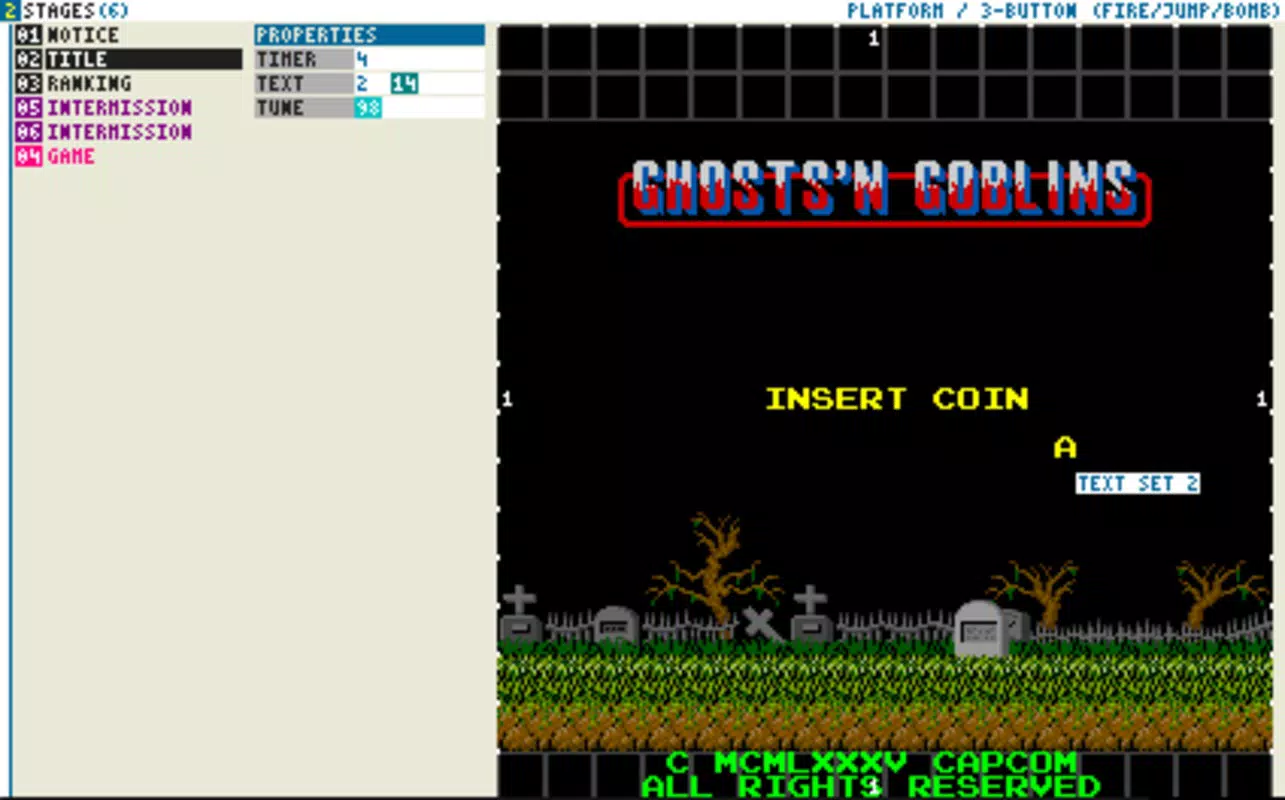
The interface of Arcade Game Studio is intentionally minimal and stylized, reflecting the design language of classic arcade cabinets. Navigation is straightforward, relying on a central menu system with labeled icons and direct access to core functions. The visual style—featuring monochrome or limited-color palettes, pixel fonts, and simulated CRT screen effects—enhances the retro experience and reduces visual clutter.
Users can expect a smooth interaction flow, with responsive touch controls and minimal lag during basic operations like selecting genres or accessing tutorial links. Although the developer did not list formal performance metrics, the app’s small size suggests efficient memory usage and fast loading times. It is likely optimized for a wide range of Android devices, including older models.
Stability appears to be consistent, given the app’s long-standing presence on the platform since its 2014 release. The lightweight architecture contributes to reliable performance, even under constrained conditions. However, specific requirements for device compatibility were not disclosed, so users should verify functionality on their individual hardware.
Platform Compatibility & Technical Requirements
Arcade Game Studio is available exclusively on the Android platform. The current version is 1.2.1, and the app occupies a minimal 1.8 MB of storage space. The developer did not specify minimum OS requirements or hardware specifications, so compatibility with older Android versions cannot be confirmed.
Given its release date in October 2014 and current size, the app is likely compatible with Android 4.0 and later. However, users should be cautious when installing on newer devices, as updates to Android’s security model or API changes may affect functionality. No additional permissions or background processes were reported.
Users seeking to install the app should ensure their device supports APK installations if downloaded outside the official store. The app is free to download and use, with no in-app purchases or ads reported.
Pros and Cons
Pros
- Lightweight design (1.8 MB) enables easy installation on low-storage devices.
- Authentic retro interface enhances creative immersion and aesthetic consistency.
- Genre-based development approach simplifies the game creation process.
- External tutorials provide accessible learning resources for beginners.
- Free to download and use, with no in-app purchases or ads.
Cons
- Specific system requirements were not listed, limiting compatibility clarity.
- No in-app feedback or progress tracking for game development stages.
- External tutorials are required, which may pose a barrier for users without internet access.
- Limited functionality compared to modern game engines.
- App has not been updated since 2014, raising concerns about long-term support.
FAQ
Is Arcade Game Studio safe to download?
Yes, the app is free and available through official Android channels. No malicious behavior has been reported. Users should download from trusted sources to ensure security.
Can I create and export games using Arcade Game Studio?
The app allows users to design games with retro mechanics, but specific export or sharing options were not detailed. Final game output may be limited to in-app play or local testing.
Is Arcade Game Studio compatible with iOS?
Currently, the app is only available on Android. There is no official iOS version or indication of future support.
Do I need an internet connection to use the app?
Basic functionality does not require an internet connection. However, tutorials are hosted externally, so an internet connection is needed to access them.
How often is Arcade Game Studio updated?
The app was last updated in 2014. No recent updates have been released, which may affect compatibility with newer Android versions over time.
Final Thoughts
Arcade Game Studio stands out as a niche yet meaningful tool for retro gaming enthusiasts and aspiring developers seeking a no-frills way to explore classic arcade game creation. Its lightweight nature, authentic visual design, and genre-focused workflow make it ideal for users who value simplicity and nostalgia over advanced features. While it lacks modern enhancements and has not been updated in over a decade, its core purpose remains intact.
For hobbyists, educators, or anyone interested in the history of video games, this app offers a unique entry point into game development. It’s not a full-featured engine, but rather a focused utility that honors the spirit of vintage arcade experiences. If you’re looking to build a simple, authentic retro game on Android—without heavy downloads or complex setups—this tool delivers genuine value.
Download Arcade Game Studio now


